
Facebook Video Selfie Verification: What It Is, Why It Happens, and How to Complete It
Suddenly asked to take a video selfie on Facebook? You're not alone. Facebook's video selfie verification is an AI-powered identity check triggered when the platform detects suspicious account activity. This complete 2026 guide explains exactly what the video selfie is, why Facebook requests it, how to complete it successfully on any device, what happens to your data, and what to do if the process fails.
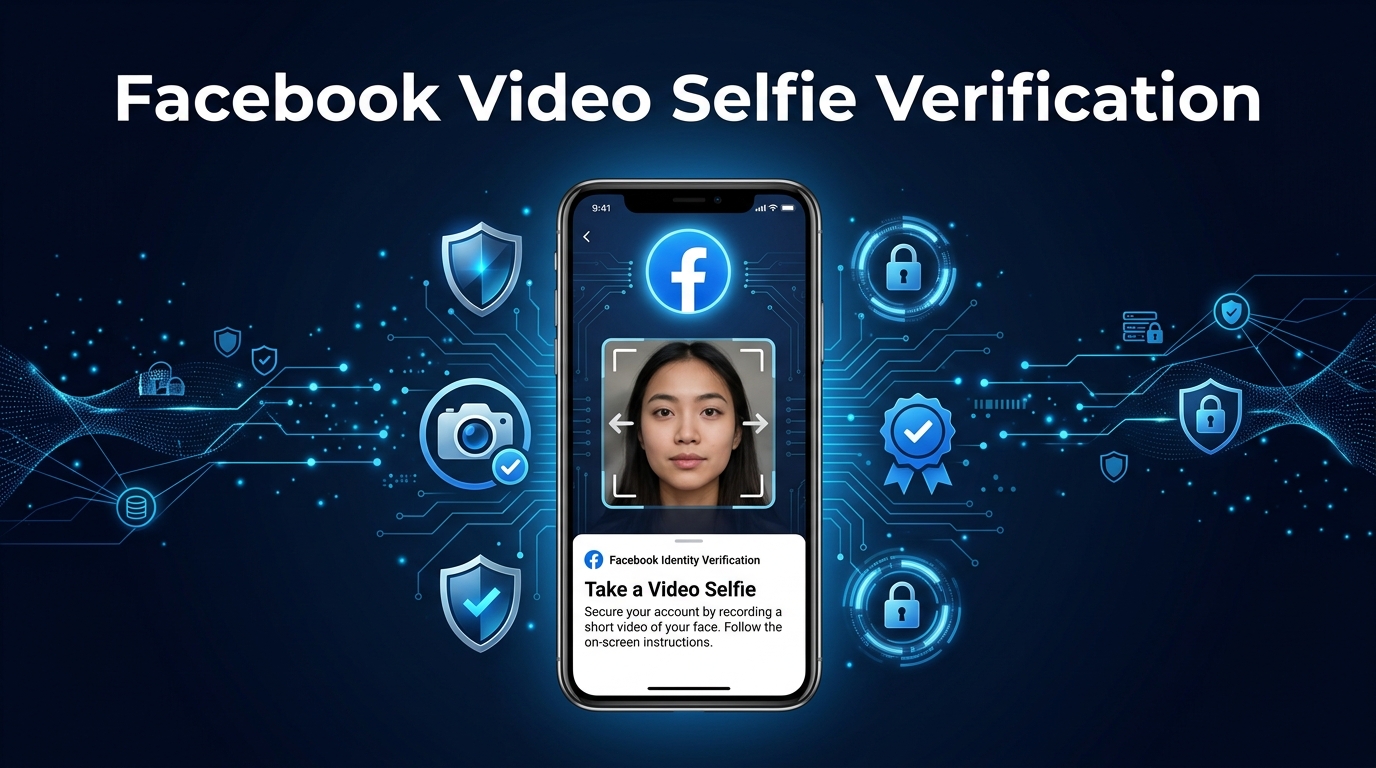
What Is Facebook Video Selfie Verification?
Facebook's video selfie verification is an identity confirmation method that asks you to record a short video of your face — typically lasting between 3 and 10 seconds — so Facebook's automated systems can compare your appearance to the profile photos already associated with your account. When the comparison is successful, Facebook confirms that the person accessing the account is consistent with the person who has used it historically, and restores or maintains access.
Looking for verified accounts?
Get Verified PVA Accounts Now
This feature is distinct from Facebook's older photo ID verification (which requires uploading a government ID document) and from standard two-factor authentication (which uses a phone number or authenticator app). Video selfie verification is specifically a biometric liveness check — it's designed to confirm not just that you have a photo matching the account, but that a real, living person is present in front of the camera, which photo-based spoofing cannot replicate.
The technical term for what Facebook's system is doing when it analyzes your video is facial recognition with liveness detection. According to Facebook's Help Center, the video selfie is reviewed by automated systems and, in some cases, by trained human reviewers. Facebook states that the video is never visible to other users on the platform and is stored temporarily during the review process before being deleted.
For users who encounter this prompt unexpectedly, it can feel alarming — as if Facebook suspects them of wrongdoing. In practice, the video selfie verification is a security measure that Facebook's systems trigger automatically based on certain account activity patterns, and it does not necessarily indicate that anything is wrong with your account. Understanding why it's triggered and how to complete it successfully takes the anxiety out of the process.
Why Does Facebook Ask for a Video Selfie? The 7 Most Common Triggers
Facebook's systems monitor accounts continuously for signals that might indicate the account has been compromised, is being operated by an unauthorized person, or violates community standards. When enough of these signals are detected, the system may request a video selfie as a verification step. Understanding which behaviors trigger this request helps you avoid them — and also explains why legitimate users can receive the prompt through no fault of their own.
1. Logging In From a New or Unrecognized Device
Signing into your Facebook account from a device Facebook has never seen associated with your account is one of the most common triggers. This includes a new phone, a borrowed computer, a different browser than usual, or a public device. Facebook treats unrecognized devices as a potential account takeover signal, and the video selfie is a way to confirm that the person on the new device is the legitimate account owner.
2. Logging In From an Unusual Geographic Location
Facebook tracks the geographic locations from which an account is typically accessed. If you log in from a country or city that is significantly different from your usual pattern — for example, your account is normally accessed from one city and suddenly a login attempt comes from another country — Facebook may request a video selfie to verify you authorized the access. This is particularly common when users travel internationally or use VPN services that route their internet traffic through servers in other countries.
3. Using a VPN or Proxy Service
Virtual Private Networks (VPNs) and proxy servers mask your real IP address and make it appear as though you're accessing the internet from a different location. Many VPN server IP addresses are flagged by Facebook as associated with suspicious activity — partly because they're used by automated bots and scrapers, and partly because rapid location changes (which VPN switching can cause) look anomalous to Facebook's systems. If you regularly use a VPN while accessing Facebook and suddenly encounter a video selfie request, disabling the VPN and reconnecting from your real IP address often resolves the issue.
4. Rapid or Unusual Account Activity
Sending a large number of friend requests in a short time, posting at unusually high frequency, sending many messages to non-friends, or engaging in actions that resemble automated bot behavior can trigger Facebook's security systems. These patterns look like spam or inauthentic behavior to Facebook's automated detection, and the video selfie serves as a human verification check to confirm a real person is behind the activity.
5. Your Profile Photos Don't Clearly Show Your Face
Facebook's comparison system needs reference photos to compare your video selfie against. If your profile photo and cover photo don't clearly show your face — because they're landscapes, logos, group photos, cartoon avatars, or heavily filtered images — Facebook's system may have difficulty finding a reliable reference, which can make it more likely to request a video selfie when other minor signals are detected.
6. The Account Was Recently Reported
If other Facebook users have reported your account for any reason — even incorrectly — Facebook may initiate an identity verification process to confirm the account is being operated by a real person who complies with community standards. This can feel unfair when reports are false or mistaken, but it is part of Facebook's automated response system.
7. Logging In After a Period of Inactivity
Returning to a Facebook account that hasn't been accessed for several months or longer can trigger verification, especially if the login occurs from a device or location different from the last recorded activity. Facebook treats dormant accounts that suddenly become active as a higher-risk scenario for unauthorized access. This is similar to what happens with other platform accounts — see our discussion of securing accounts after periods of inactivity for the general principles that apply across platforms.
How to Complete Facebook Video Selfie Verification: Step-by-Step (2026)
When Facebook presents you with the video selfie verification prompt, the process is straightforward if you follow it correctly. The most common reasons people fail the verification are technical issues with camera access, poor lighting, or attempting the process too quickly. Here is the complete walkthrough.
On the Facebook Mobile App (Android or iPhone)
- When the video selfie prompt appears, read the on-screen instructions completely before tapping anything. Facebook explains what you'll need to do — typically turn your head slowly left and right, or blink — before the recording begins.
- Tap Continue or Take Video Selfie to begin.
- Facebook will request permission to access your device's front camera. Tap Allow if prompted. If you've previously denied camera access to the Facebook app, you'll need to go to your phone's Settings → Apps → Facebook → Permissions → Camera and enable it first.
- Position your face within the circular or oval guide shown on screen. The entire face — forehead, chin, and both cheeks — should be clearly visible within the guide. Do not angle your face to one side before the recording begins.
- Ensure you are in a well-lit environment. Face a window or bright light source rather than having it behind you. Poor lighting is the most common cause of verification failure. Overhead fluorescent lighting or natural daylight works well; dim room lighting and backlighting are problematic.
- When the recording begins (usually indicated by a countdown or a prompt like “Recording...”), follow the on-screen movement instructions calmly and slowly:
- If asked to turn your head left and right: rotate slowly and smoothly, not quickly or jerkily.
- If asked to blink: blink naturally at a normal speed.
- If asked to nod: move your head up and down gently.
- Keep your expression neutral and your face centered in the guide throughout the recording. Do not smile exaggeratedly, look down at the phone, or move it closer or farther away during recording.
- After the recording completes, Facebook will display a confirmation that your selfie has been submitted for review.
- Wait for the review result. For most users, the review is automated and completes within seconds to minutes. In some cases, Facebook states that human review may take up to 48 hours.
On Facebook Desktop (Browser)
- When the video selfie prompt appears in your browser, click Continue.
- Your browser will request permission to access your webcam. Click Allow in the browser permission dialog that appears (usually at the top of the browser window or as a popup).
- If your browser has previously blocked camera access for Facebook, go to your browser's site settings for facebook.com and change the camera permission to Allow.
- Ensure your webcam is functioning and positioned at eye level. Looking down at a laptop webcam causes an unflattering angle that can affect the comparison — try to position the screen so the camera is roughly at eye height.
- Follow the same lighting and movement guidelines as the mobile process above.
- Complete the recording and submit.
Tips for Passing the Video Selfie on the First Attempt
- Use the same device you normally use for Facebook if possible — familiar devices are less likely to trigger additional scrutiny.
- Remove glasses if you don't wear them in your profile photos, or keep them on if you do — consistency with your existing photos helps the comparison.
- Remove hats and hoods that obscure your face.
- Do not use filters or beauty modes on your camera. Use the camera exactly as Facebook presents it.
- Ensure your profile photos show your current appearance. If you've significantly changed your appearance (hair color, weight, facial hair) since your profile photos were taken, the facial comparison may be less accurate. Consider updating your profile photo before attempting verification.
- Restart the Facebook app and try again if the camera fails to load or the recording doesn't start properly. Technical glitches during the camera initialization can cause the process to stall.
What Happens to Your Video Selfie? Facebook's Data Practices Explained
This is understandably one of the first questions users ask when faced with the video selfie request. The idea of recording a video of your face and sending it to Facebook raises legitimate privacy questions, and understanding Facebook's stated data practices helps you make an informed decision.
According to Facebook's official documentation and Meta's Privacy Policy, the video selfie you submit is:
- Not visible to other Facebook users. The video never appears on your profile, in your story, or anywhere else on the platform. Only Facebook's verification systems and, in some cases, trained human reviewers can access it.
- Used only for identity verification. The video is compared against your existing profile photos to confirm your identity. It is not used for targeted advertising, content recommendations, or any other purpose.
- Deleted after review. Facebook states that the video selfie is deleted after the verification process is complete, regardless of whether verification is approved or denied.
- Processed using automated facial recognition technology. Facebook acknowledges that biometric analysis is performed on the video as part of the comparison process.
It's worth noting that Facebook's facial recognition capabilities and policies have been subject to significant legal and regulatory scrutiny. Facebook (now Meta) paid a $5 billion FTC settlement in 2019 partly related to privacy practices, and has faced class action lawsuits in Illinois related to its use of biometric data under the state's Biometric Information Privacy Act (BIPA). These legal outcomes have led Meta to implement stricter data handling policies around biometric data in the years since.
For users in the European Union, Meta's biometric data processing is subject to the General Data Protection Regulation (GDPR), which imposes strict requirements on how biometric data can be collected, processed, and deleted. Users in these jurisdictions have additional rights regarding their biometric data.
If you are uncomfortable with the video selfie process, you do have the option to attempt alternative identity verification methods through Facebook's Help Center — though Facebook's system does not always offer alternatives, particularly when the video selfie is used in an account recovery context rather than a routine check.
Video Selfie Verification vs. Other Facebook Identity Verification Methods
Facebook uses several different identity verification approaches depending on the situation. Understanding how the video selfie compares to these other methods clarifies when each one is used and why.
Video Selfie vs. Photo ID Verification
Photo ID verification requires you to upload a scan or photo of a government-issued identity document — a passport, driver's license, or national ID card. Facebook uses this method primarily when an account is flagged for a Community Standards violation or when an account recovery situation involves a legal name discrepancy. Photo ID verification involves human review only (no automated facial recognition), takes longer (typically 48-72 hours), and is used in more serious circumstances than the video selfie.
The video selfie, by contrast, is automated, faster, and used for routine suspicious activity signals rather than Standards violations. It does not require you to share government ID information with Facebook.
Video Selfie vs. Two-Factor Authentication
Two-Factor Authentication (2FA) — which uses a code sent to your phone via SMS or generated by an authenticator app — is a login security feature that you set up proactively and use every time you sign in from a new device. It verifies that you possess a specific phone number or device, not that you are biometrically a specific person.
The video selfie is not a substitute for 2FA and does not replace it. Both can be active on the same account. For comprehensive Facebook account security — which we cover in depth in our guide on how to enable Two-Factor Authentication on Facebook — having 2FA active actually reduces the likelihood of encountering a video selfie request, because 2FA provides Facebook's systems with stronger confidence in the login's legitimacy.
Video Selfie vs. Trusted Contacts
Facebook's Trusted Contacts feature allows you to designate 3-5 friends who can help you regain access to your account if you're locked out. This is a social verification method rather than a biometric one — your friends receive a code that you can use to recover access. Trusted Contacts is a useful backup for account recovery but is not used in the same automated security-check context as the video selfie.
What to Do If Facebook Video Selfie Verification Fails
The video selfie verification process doesn't always succeed on the first attempt, and sometimes repeated attempts fail as well. There are several reasons this can happen and specific steps to address each one.
Reason 1: Poor Lighting or Camera Quality
The most common technical cause of failure. If the system cannot clearly resolve your facial features in the video — because of dim lighting, strong backlighting, camera lens obstruction, or a low-quality camera — the comparison will fail or be inconclusive.
Solution: Move to a brighter location, face a light source (not your back to it), clean your camera lens, and retry. If you're using a laptop webcam, try switching to the Facebook mobile app on your phone, which typically has a higher quality front camera.
Reason 2: Your Appearance Has Changed Significantly
If your current appearance is substantially different from your profile photos — due to major weight change, different hair color or length, significant facial hair difference, or aging — the facial comparison may score below Facebook's confidence threshold, causing it to fail.
Solution: Before retrying, update your Facebook profile photos to ones that more accurately reflect your current appearance. You may need to use a trusted friend or family member's Facebook access to update your profile photos before attempting verification again.
Reason 3: Technical Error During Recording
App crashes, connectivity interruptions, or camera initialization failures during the recording can cause the submission to fail even when your video is technically acceptable.
Solution: Force-close the Facebook app completely, ensure you have a stable internet connection (switch from Wi-Fi to mobile data or vice versa), and retry. For browser-based attempts, try a different browser or clear your browser cache and cookies before retrying.
Reason 4: The Account Is Under a More Serious Review
In some cases, the video selfie verification is a preliminary step in a more extensive review process triggered by a Community Standards flag or a legal hold. In these situations, the video selfie alone may not be sufficient, and the verification will indicate that additional review is needed.
Solution: Contact Facebook directly through the Facebook Help Center Contact Form or submit a report through the in-app Help section. Explain your situation clearly and provide any additional information that confirms your identity. If you believe your account was disabled in error, use Facebook's account disabled appeal process.
Reason 5: The Account Has No Profile Photos for Comparison
If your account profile photo is a logo, abstract image, or group photo without a clear individual face, Facebook's system has no reference image to compare your selfie against. The verification may fail or loop indefinitely.
Solution: This situation requires adding a clear, individual photo of your face as your profile photo before verification can succeed. This may require accessing the account through a different device or browser session where you can update the photo, or asking a trusted contact to access your account briefly to help update it.
How to Reduce the Likelihood of Being Asked for a Video Selfie in the Future
Once you've completed a video selfie verification, most users don't encounter it again for an extended period — unless they continue behaviors that trigger Facebook's security systems. Here's how to reduce future verification prompts.
Keep Your Profile Photos Current and Clear
Maintain a clear, recent photo of your face as your Facebook profile picture. This reduces the likelihood that the comparison system will have trouble confirming your identity when other signals trigger a check. The photo should show your full face clearly, be well-lit, and accurately reflect your current appearance.
Enable Two-Factor Authentication
Accounts with Two-Factor Authentication active are less frequently subjected to video selfie verification because 2FA provides Facebook's systems with a strong signal that logins are authorized. Enabling 2FA doesn't eliminate the possibility of a video selfie request, but it reduces the risk profile that triggers the automated check. For the complete setup guide, see our detailed walkthrough on enabling Two-Factor Authentication on Facebook.
Use Facebook Consistently From the Same Devices and Locations
The more consistent your login pattern — same devices, similar locations, regular activity — the lower the risk score that triggers additional verification. This doesn't mean you can't travel or use new devices, but being aware that changes trigger security checks helps explain why the verification appears when it does.
Avoid Behaviors That Resemble Bot Activity
Sending friend requests to many people you don't know, posting large volumes of content rapidly, using third-party apps that automate Facebook actions, or accessing Facebook through unofficial clients can all elevate your account's risk score. Facebook's systems are designed to detect inauthentic behavior patterns, and they are generally quite effective at it.
Keep Your Account Information Accurate
Your account's name, location, and other profile information should accurately reflect your real identity. Discrepancies between your stated identity and your actual behavior patterns (for example, an account claiming to be based in one country but consistently accessed from another) increase the frequency of security checks.
Facebook Video Selfie Verification and Account Trust: The Bigger Picture
Facebook's video selfie verification is part of a broader effort by Meta to combat fake accounts, coordinated inauthentic behavior, and account takeovers. Meta's Transparency Center publishes regular reports on the scale of this challenge — in a typical quarter, Meta removes hundreds of millions of fake accounts. The verification systems — including the video selfie — are part of Meta's investment in distinguishing authentic human-operated accounts from fake or automated ones.
For individual users, this context helps explain why verification requests can feel arbitrary or unfair. The system is not making judgments about you personally — it's applying risk-based rules designed to catch a large volume of bad actors, and legitimate users occasionally trigger those rules through ordinary behavior like traveling, using a VPN, or getting a new phone.
For users and businesses that rely on established Facebook accounts for legitimate purposes — community management, social commerce, customer support, or outreach — account trust is genuinely important. An account with long history, consistent behavior, and accurate profile information is less frequently subjected to verification checks and generally has higher standing in Facebook's systems. Our guide on PVA Facebook accounts for business and social commerce covers what makes a Facebook account trustworthy from the platform's perspective and how that trust impacts your ability to operate effectively on Facebook.
If you're working with Facebook accounts for business purposes and need profiles with established history and genuine activity, explore our selection of aged Facebook accounts — profiles with real account history that carry the kind of platform trust that reduces unnecessary verification friction.
Frequently Asked Questions About Facebook Video Selfie Verification
Is the Facebook video selfie request legitimate, or is it a phishing scam?
Legitimate Facebook video selfie verification only occurs within the official Facebook app or at facebook.com in your browser. If you receive an email, SMS, or external website asking you to record a video selfie for Facebook, do not comply — it is a phishing attempt. The authentic prompt appears only inside the Facebook app or on facebook.com itself, never through an external link sent to you. Always check the URL in your browser before submitting any personal information.
How long does Facebook video selfie review take?
For most users, the automated review completes within seconds to a few minutes. In cases where the automated system flags the submission for human review — which Facebook states can happen for certain accounts — the review can take up to 48 hours. During this waiting period, your account access may be limited. Facebook will notify you of the result through the app or via the email address associated with your account.
Can I skip the Facebook video selfie verification?
In most cases where Facebook has required a video selfie to continue accessing your account, there is no option to skip it directly. However, Facebook sometimes offers alternative verification methods through the Help Center — particularly photo ID verification or trusted contacts verification — if you cannot complete the video selfie. The availability of alternatives depends on why the verification was triggered and your account's specific situation.
What if I don't have a front-facing camera or my camera doesn't work?
If your device does not have a functional front-facing camera, try switching to a different device — a phone or tablet with a front camera — and logging in to Facebook there to complete the verification. Alternatively, use Facebook in a desktop browser on a computer with a webcam. If no camera-equipped device is available, contact Facebook's support through the Help Center to explain the situation and request an alternative verification method.
Will Facebook video selfie verification ever be required without a specific trigger?
Facebook has indicated in its security documentation that it may proactively request identity confirmation from accounts as part of routine security measures, even without a specific suspicious activity trigger. This proactive verification is less common than trigger-based verification but does occur — particularly for accounts that haven't updated their profile information or photos in a long time.
Does completing the video selfie affect my Facebook account's standing?
Successfully completing the video selfie verification confirms your account's legitimacy to Facebook's systems and generally results in the removal or reduction of the restriction that triggered the verification request. It does not negatively affect your account standing. Repeated failed attempts, however, may cause Facebook to apply longer access restrictions while the review is escalated.
For official guidance directly from Meta, Facebook's Help Center article on identity confirmation provides the most up-to-date information on what the video selfie process involves and how submitted data is handled. For a broader understanding of how to keep your Facebook account secure and trusted, our guide on enabling Two-Factor Authentication on Facebook covers the complete account security setup that reduces the frequency of additional verification requests.
Our Featured Services
Trusted by 5,000+ happy customers worldwide.
Explore All 18 ServicesWritten by
PvaitShop Editorial Team
Our editorial team specializes in verified digital accounts, PVA account strategies, and online marketing. With 5+ years of hands-on experience in the PVA niche, we provide accurate, actionable guides to help businesses scale safely.